

Awesome Spectral Indices in Python
spyndex Awesome Spectral Indices in Python. The Awesome Spectral Indices is a standardized ready-to-use curated list of spectral indices that can be used as expressions for computing spectral indices in remote sensing applications. The list was born initially to supply spectralindices for Google Earth Engine through eemont and spectral, but given the necessity to compute spectral indices for other object classes outside the EarthEngine ecosystem, a new package was required. Spyndex is a python package that uses the spectral indices […]
Read more
A statistics-duelling deck generator using data from wikipedia
A statistics-duelling deck generator using data from wikipedia. Trop Tumps chooses random categories from dbpedia.org and turns them into (mostly-useless) printable decks of cards representing things from that category, complete with exciting statistics. Installation Note: Trop Tumps requires Python 3.6+ The simplest way to install Trop Tumps is using pip. With Python and pip installed, Trop Tumps can be installed from the Python Package Index with: pip install troptumps or directly from the source repository with: pip install git+https://github.com/Frimkron/troptumps#egg=troptumps Alternatively […]
Read more
A Python library for extract property from data
Summary A Python library for extract property from data. Installation Installation: pip pip install DataProperty Installation: conda conda install -c conda-forge dataproperty Installation: apt sudo add-apt-repository ppa:thombashi/ppa sudo apt update sudo apt install python3-dataproperty Usage >>> from dataproperty import DataProperty >>> DataProperty(-1.1) data=-1.1, type=REAL_NUMBER, align=right, ascii_width=4, int_digits=1, decimal_places=1, extra_len=1 >>> from dataproperty import DataProperty >>> DataProperty(123456789) data=123456789, type=INTEGER, align=right, ascii_width=9, int_digits=9, decimal_places=0, extra_len=0 >>> from dataproperty import DataProperty >>> DataProperty(“sample string”) data=sample string, type=STRING, align=left, length=13, ascii_width=13, extra_len=0 >>> from […]
Read more
CBMPy Metadraft: a flexible and extensible genome-scale model reconstruction tool
CBMPy Metadraft: a flexible and extensible, GUI-based genome-scale model reconstruction tool that supports multiple Systems Biology standards. MetaDraft version 0.9.2 now defaults to the 2019-1 template library, if you are working directly in a cloned repository please initialise the new template library: cd cbmpy-metadraft git submodule update –init –remote — modeldb/2019-1/ If you want to switch back to the 2018-1 library and results please edit the _metadraft.cfg file and change the value of the “metadraft_db_version” key to “2018-1” (it is […]
Read more
Zap: The delightful package manager for AppImages
Zap Looking for the older Zap v1 (Python) implementation? Head over to v1 branch. Getting Started ✨ For system-wide installation (needs sudo) sudo wget https://github.com/srevinsaju/zap/releases/download/continuous/zap-amd64 -O /usr/local/bin/zap sudo chmod +x /usr/local/bin/zap zap –help For local installation, (requires ~/.local/bin to be on $PATH) mkdir -p ~/.local/bin wget https://github.com/srevinsaju/zap/releases/download/continuous/zap-amd64 -O ~/.local/bin/zap chmod +x ~/.local/bin/zap zap –help NOTE: Replace amd64 with your machine architecture. Supported architectures are listed in the release page Installing AppImages All AppImages from the AppImage Catalog and AppImage catalog […]
Read more
Enlighten Progress Bar: a console progress bar library for Python
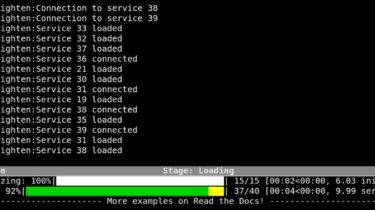
Enlighten Progress Bar Enlighten Progress Bar is a console progress bar library for Python. The main advantage of Enlighten is it allows writing to stdout and stderr without any redirection or additional code. Just print or log as you normally would. Enlighten also includes experimental support for Jupyter Notebooks. The code for this animation can be found in demo.py in examples. Documentation https://python-enlighten.readthedocs.io Installation PIP $ pip install enlighten RPM Fedora and EL8 (RHEL/CentOS) (EPEL repositories must be configured for […]
Read more
A python scripts for importing Source 1 assets such as materials, models, and particle effects into Source 2
Set of scripts for importing Source 1 assets such as materials, models, and particle effects into Source 2. Inspired by Valve’s own source1import.exe (written in C++ and Perl), this one is in Python. Requires: Python 3.9python -m pip install -r requirements.txt Installing: Download as ZIP and ExtractOpen folder, press Ctrl + L, enter cmd and run the following commands python -m pip install -r requirements.txt cd utils All set. Use python materials_import.py –help or read below examples to get started. […]
Read more