Capsule Network via Bottleneck Block and Automated Gradual Pruning

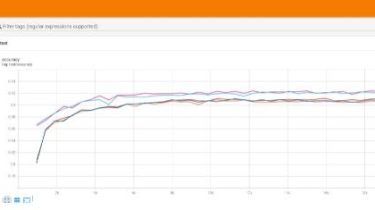
A pytorch implementation of “A Novel Effective and Efficient Capsule Network viaBottleneck Residual Block and Automated GradualPruning”. Since the experimental results in the paper are based on the graphics card (Tesla k40) with low computing power, the experiments at that time were very laborious, and there was no good display of the model results. The calculation of the graphics card (GTX 1060 and 3090) used in this reproduction is higher than the former. The results in the paper will fluctuate, […]

Read more
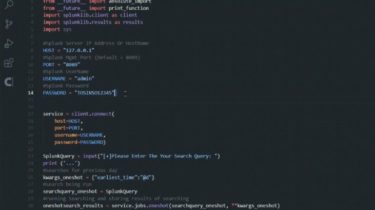
The app gets your sutitle.srt and proccess it to extract sentences

This app gets your sutitle.srt and proccess it to extract sentences, and also find Start time and End time of them. Step 1: install this packages using “PIP” googletrans (Translate) arabic_reshaper (Text correction) bidi.algorithm (Text correction) tkinter (GUI) Step 2: run SubtitleProccess.py Input: put srt file in src folder name should be “subtitle” => subtitle.srt Output: displaying sentences with order and structure Sentence is : .ﻝﺎﮕﻧﻮﮔ ﮏﻣ ﺭﻮﺴﻓﻭﺮﭘ ،ﺩﻮﺑ ﺪﯿﻫﺍﻮﺧ ﺎﺠﻨﯾﺍ ﺎﻤﺷ ﻪﮐ ﻢﺘﺴﻧﺍﺩ ﯽﻣ ﺪﯾﺎﺑ ﻦﻣ Start Time is […]

Read more

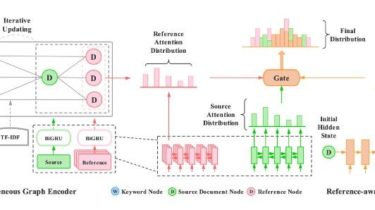
Heterogeneous Graph Neural Networks for Keyphrase Generation

This repository contains the code for our EMNLP 2021 paper “Heterogeneous Graph Neural Networks for Keyphrase Generation”. Our implementation is built on the source code from keyphrase-generation-rl and fastNLP. Thanks for their work. If you use this code, please cite our paper: @inproceedings{ye2021heterogeneous, title={Heterogeneous Graph Neural Networks for Keyphrase Generation}, author={Ye, Jiacheng and Cai, Ruijian and Gui, Tao and Zhang, Qi}, booktitle={Proceedings of EMNLP}, year={2021} } Dependency python 3.5+ pytorch 1.0+ dgl 0.4.3 sentence_transformers 1.1.0 faiss 1.6.3

Read more

A simple Botter made in Python 3 for Kahoot.com

A simple Botter made in Python 3 for Kahoot.com.Also sorry for the shitty code lol.Cancel changes You need Python 3 installed on your device.After, do you need to install the requirements trought the file requirements.txt. Run this command in the same directory:pip3 install -r requirements.txt Then, just run the Tool with:python3 main.py Telegram: https://t.me/xssinjection || 1713081092 Discord: AsyncCode#4450 || 843362798486159371 Telegram: https://t.me/CyberLestofante Discord: kl3sshydra#6257 GitHub View Github    

Read more

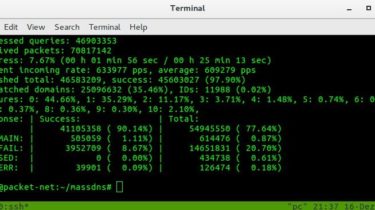
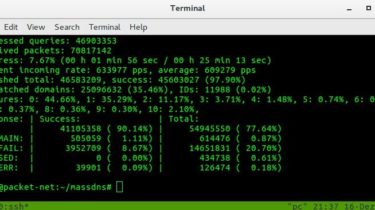
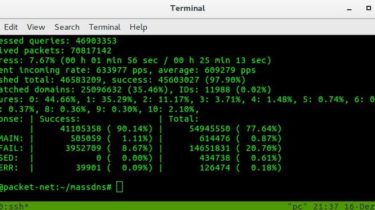
A high-performance DNS stub resolver for bulk lookups and reconnaissance (subdomain enumeration)

A high-performance DNS stub resolver MassDNS is a simple high-performance DNS stub resolver targeting those who seek to resolve a massive amount of domain names in the order of millions or even billions. Without special configuration, MassDNS is capable of resolving over 350,000 names per second using publicly available resolvers. Contributors Compilation Clone the git repository and cd into the project root folder. Then run make to build from source. If you are not on Linux, run make nolinux. On […]

Read more

Interactive convnet features visualization for Keras

Interactive convnet features visualization for Keras The quiver workflow Video Demo Build your model in keras Launch the visualization dashboard with 1 line of code quiver_engine.server.launch(model, classes=[‘cat’,’dog’], input_folder=’./imgs’) Explore layer activations on all the different images in your input folder. Quickstart Installation pip install quiver_engine If you want the latest version from the    

Read more

Take a list of domains and probe for working HTTP and HTTPS servers

Take a list of domains and probe for working http and https servers. Install ▶ go get -u github.com/tomnomnom/httprobe Basic Usage httprobe accepts line-delimited domains on stdin: ▶ cat recon/example/domains.txt example.com example.edu example.net ▶ cat recon/example/domains.txt | httprobe http://example.com http://example.net http://example.edu https://example.com https://example.edu https://example.net By default httprobe checks for HTTP on port 80 and HTTPS on port 443. You can add additional probes with the -p flag by specifying a protocol and port pair: ▶ cat domains.txt | httprobe -p […]

Read more

A conda-smithy repository for boost-histogram

Home: https://github.com/scikit-hep/boost-histogram Package license: BSD-3-Clause Feedstock license: BSD-3-Clause Summary: The official Boost.Histogram Python bindings. Provides fast, efficient histogramming with a variety of different storages combined with dozens of composable axes. Part of the Scikit-HEP family. Development: https://github.com/scikit-hep/boost-histogram Documentation: https://boost-histogram.readthedocs.io Drone Azure Name Downloads Version Platforms Installing boost-histogram from the conda-forge channel can be achieved by adding conda-forge to your channels with: conda config –add channels conda-forge conda config –set channel_priority strict Once the conda-forge channel has been enabled, boost-histogram can […]

Read more
1 503 504 505 506 507 1,076